
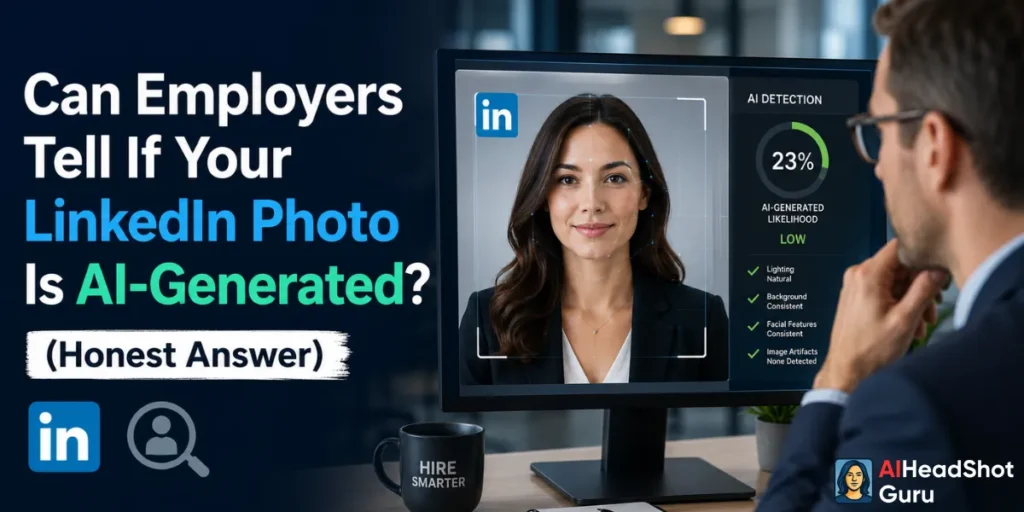
You've probably seen those suspiciously perfect LinkedIn profile photos — flawless skin, studio lighting, crisp background.
And you've probably wondered: is that real? More importantly, if you're thinking about using an AI headshot yourself, you're asking the smarter question — can your employer actually tell?
The honest answer is: it depends entirely on the tool you used and how good the output is. A cheap AI headshot? Absolutely detectable.
A high-quality one from a premium tool? Nearly impossible to distinguish from a real studio shot — and recruiters aren't running forensic analysis on your profile picture anyway.
Here's everything you need to know before uploading that AI-generated photo to your LinkedIn profile.
Quick Overview: AI Headshots on LinkedIn at a Glance
| Factor | Details |
|---|---|
| Can employers detect AI headshots? | Rarely, if the photo quality is high |
| What gives away bad AI photos? | Skin texture, hair edges, eye reflections, background artifacts |
| Top tools with undetectable results | BetterPic, Aragon AI, InstaHeadshots |
| LinkedIn's official policy on AI photos | No explicit ban — must represent you accurately |
| AI photo detection tools used by employers? | Almost never in standard hiring workflows |
| Best use case | Professionals without access to expensive studio photographers |
| Risk level (high-quality tool) | Very low |
What Actually Gives Away an AI Headshot (And What Doesn't)
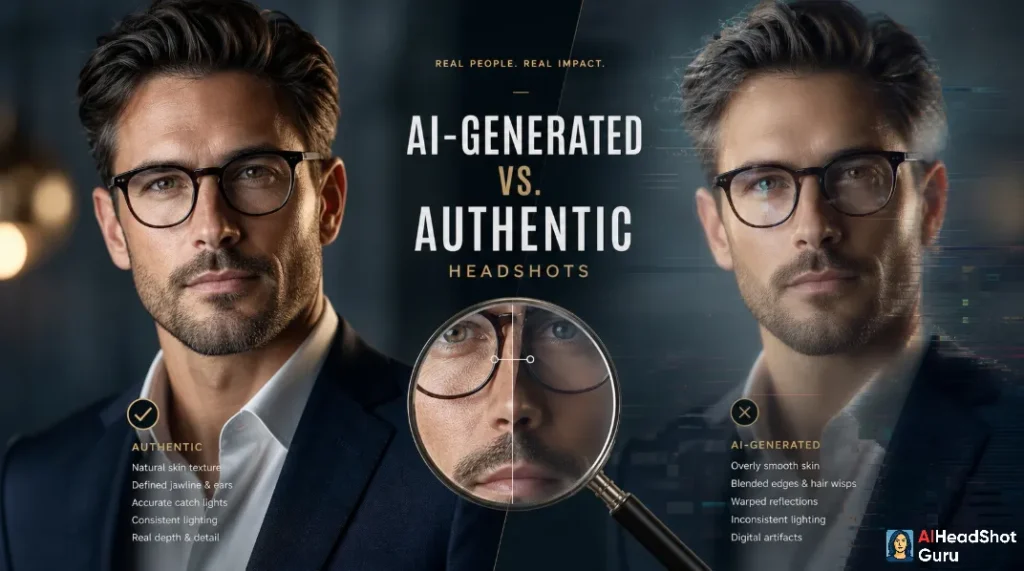
Not all AI photos are created equal. The giveaways that trained eyes look for are very specific — and most of them only show up in low-effort, budget-tier outputs.
The red flags in low-quality AI headshots:
What doesn't give it away:
A well-trained model on your actual photos produces accurate facial structure, consistent lighting, natural skin tones, and realistic depth of field. At that point, even someone actively trying to spot a fake will second-guess themselves.
How Top AI Headshot Tools Have Closed the Gap
This is where the conversation gets interesting. Tools like BetterPic, Aragon AI, and InstaHeadshots aren't using simple filters or face-swapping tricks.
They train a custom model on 10–30 of your real photos, meaning the output actually looks like you — just in professional lighting, with a clean background.

BetterPic produces studio-quality results across multiple styles (corporate, casual, creative), and the output consistently passes casual inspection.
It's one of the most popular choices among job seekers and remote professionals.

Aragon AI leans into enterprise-level quality, with outputs that match the kind of photos you'd expect from a $400 photographer session.
The facial accuracy is high, and the lighting models are sophisticated enough to avoid the telltale flat-lighting problem.
InstaHeadshots is the speed play — fast turnaround, solid quality, and multiple background options that look credible in a professional context.
None of these tools produce the uncanny valley effect that older AI portrait tools were notorious for. The gap between a real studio photo and a high-quality AI headshot has gotten narrow enough that even professional photographers have admitted difficulty telling them apart in side-by-side tests.
LinkedIn's Actual Stance on AI Profile Photos
LinkedIn has not issued a blanket ban on AI-generated profile photos. Their official guidelines state that your photo must be a likeness of you — meaning it can't be a completely fabricated person. Since AI headshot tools generate photos based on your actual face, they technically comply with this requirement.
The platform does prohibit fake identities and misleading representations, but using a professionally enhanced version of your own face doesn't cross that line.
Thousands of professionals already use retouched photos, studio lighting setups, and professional editors — an AI tool doing the same thing sits in the same ethical neighborhood.
That said, if you use an AI tool that dramatically alters your appearance (lighter skin, different eye color, slimmer face), that's where authenticity becomes a real concern — not just from LinkedIn's perspective, but from a practical one. You'll eventually meet the people who've seen your photo.
Do Employers Actually Run AI Detection on Profile Photos?
Let's be direct: almost no recruiter or hiring manager is running your LinkedIn photo through an AI detection tool. That's not part of any standard hiring workflow, and the tools that do exist for image forensics aren't designed for this use case.
AI text detectors have become a recruitment conversation because of written materials — cover letters, portfolios, work samples. Profile photos? Nobody's submitting them for forensic review.
The practical reality is that recruiters spend an average of less than 10 seconds on initial profile scans. They're looking at your headline, current role, and location. The photo just needs to look professional — not perfect.
When an AI Headshot Could Actually Work Against You
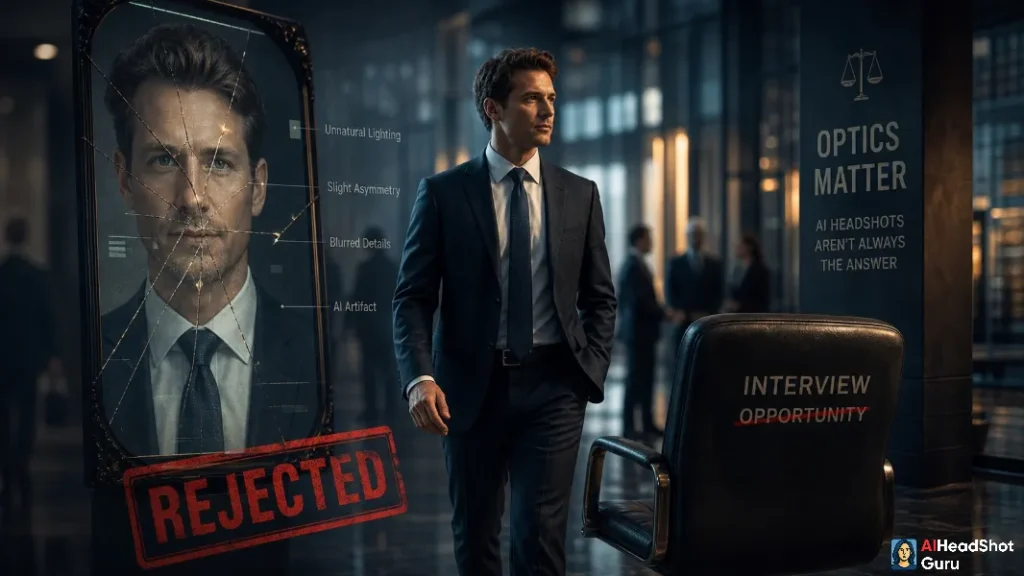
There are edge cases worth knowing about:
Real-Looking AI Headshot vs. Real Photo
Here's what's actually different between a high-quality AI headshot and a real studio photo — and what's the same:
What's the same:
What might differ (subtly):
For 99% of LinkedIn use cases, these differences are invisible and irrelevant.
How to Get an AI Headshot That Nobody Questions
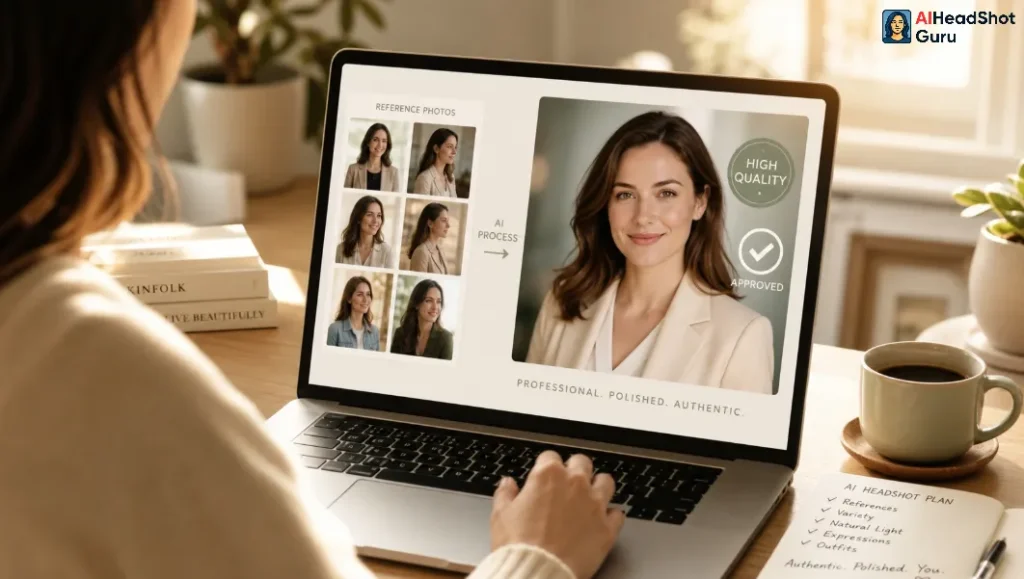
If you want to get the best possible output from an AI headshot tool, the quality of your input photos matters more than which tool you pick. Follow this:
- Upload 15–25 varied photos — different angles, lighting conditions, and expressions
- Include photos with good natural lighting — avoid harsh shadows or heavy filters
- Wear the type of clothing you'd actually wear to work — the tool will replicate the style
- Choose a neutral or gradient background style for the output — these age better and look more universally professional
- Pick a style that matches your industry — corporate for finance and law, slightly warmer tones for tech and startups
- Cross-check the output against your actual appearance — make minor adjustments if the face looks too symmetrical or airbrushed
FAQs: AI Headshots on LinkedIn
Can LinkedIn detect AI-generated profile photos automatically?
No. LinkedIn does not currently use automated AI image detection on profile photos. The platform's systems focus on account behavior and policy violations, not image forensics.
Is using an AI headshot on LinkedIn considered dishonest?
Not inherently. If the photo accurately represents your appearance, it's no different from a retouched studio photo. It becomes a problem only if it misrepresents who you actually are.
What's the best AI headshot tool for LinkedIn specifically?
BetterPic and Aragon AI consistently produce the most professional and realistic results for LinkedIn use. InstaHeadshots is a solid budget option with fast delivery.
Can AI headshot detection software identify my photo?
Technically, some forensic tools can analyze image metadata and compression patterns. But no standard hiring or HR workflow uses these tools for profile photos.
Will a hiring manager notice my photo is AI-generated?
At high quality output, very unlikely. The average recruiter is not trained to spot AI imagery and isn't looking for it. Focus on quality and accuracy over worrying about detection.
Does an AI headshot affect my chances of getting hired?
Your photo is one small signal among many. A professional-looking photo (AI or not) improves first impressions. A bad photo — AI or real — can hurt them.
Are AI headshots allowed on job applications and resumes?
There's no formal rule against it. Most countries and companies don't require photos on resumes at all. Where photos are standard (certain international markets), an accurate, professional AI headshot is perfectly acceptable.
The Verdict
High-quality AI headshots from tools like BetterPic, Aragon AI, and InstaHeadshots are effectively undetectable in real-world professional contexts. Employers aren't screening profile photos with forensic software — they're making split-second judgments about professionalism and trustworthiness.
The only way an AI headshot hurts you is if it looks bad, looks fake, or doesn't look like you. Nail those three things and it's just a professional photo — full stop.
If you've been putting off updating your LinkedIn photo because you can't afford a studio session or just haven't gotten around to booking one, an AI headshot tool is a legitimate, practical fix. Just use a good one.