
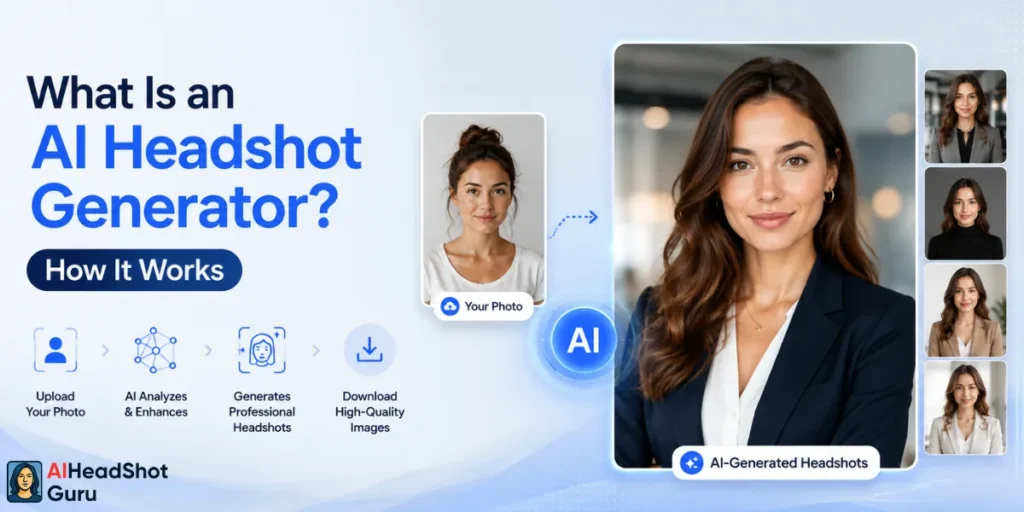
An AI headshot generator is an online tool that turns a few selfies into professional, studio-quality portraits using artificial intelligence, no photographer needed. You upload your photos, pick a style, and the AI creates brand-new headshots of you in business attire with clean backgrounds and studio lighting.
Millions are now choosing AI headshots over a $300 studio booking, and for good reason: it's faster, cheaper, and gives you dozens of shots instead of three. So how does AI actually make headshots, and is it good enough for LinkedIn? Here's the plain-English breakdown for first-time users.
AI Headshot Generator at a Glance
| Detail | What to Know |
|---|---|
| What it is | Software that creates professional portraits from your selfies using AI |
| Photos you upload | Usually 6–12 clear selfies (some tools accept just 1–4) |
| Core technology | LoRA training on top of a diffusion model |
| Turnaround time | Roughly 10 minutes to 4 hours, depending on the tool |
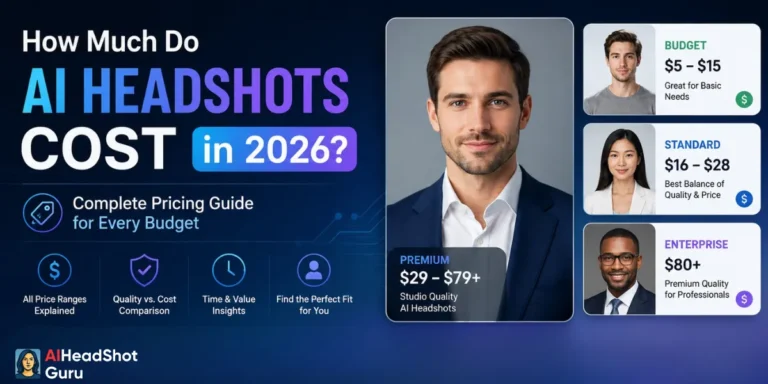
| Typical price | $12–$80 one-time for 20–100+ headshots |
| Photos delivered | Anywhere from 20 to over 100 variations |
| Best for | LinkedIn, resumes, speaker bios, company About pages, email signatures |
| Studio alternative | $150–$500+ per session for 3–10 retouched images |
What an AI Headshot Generator Actually Does
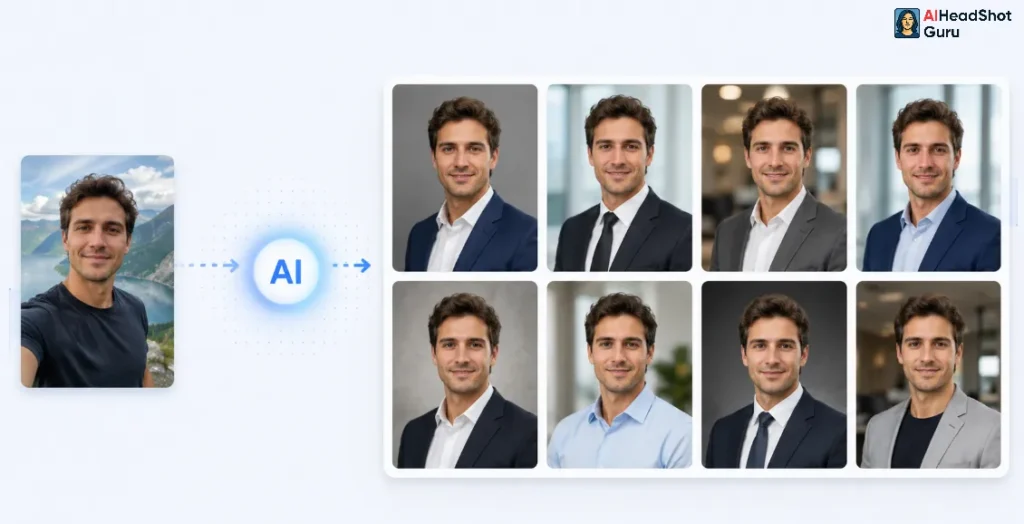
At its core, this is a specialized type of AI image generator built for one job: making portrait photos of you. General image models can draw anything, but a headshot tool is tuned to produce head-and-shoulders shots that look like real corporate photography rather than random stock faces.
The output isn't a retouched version of your selfie. It's a set of completely new images that the AI paints from scratch, matching your face, skin tone, and features to professional settings like a neutral gray backdrop, a blazer, and soft window light. Most people walk away with dozens of options across different outfits and backgrounds in a single batch.
How AI Makes Headshots: The Tech, Simplified
The whole thing runs on two ideas working together. First is a diffusion model, the engine that powers modern AI photo generation.
It starts with pure visual static and slowly removes the noise step by step until a clean, realistic image appears, almost like a photo developing in reverse.
The second piece is what makes the photo look like you. This is LoRA training (short for Low-Rank Adaptation). Here's how that selfie-to-professional-photo pipeline works:
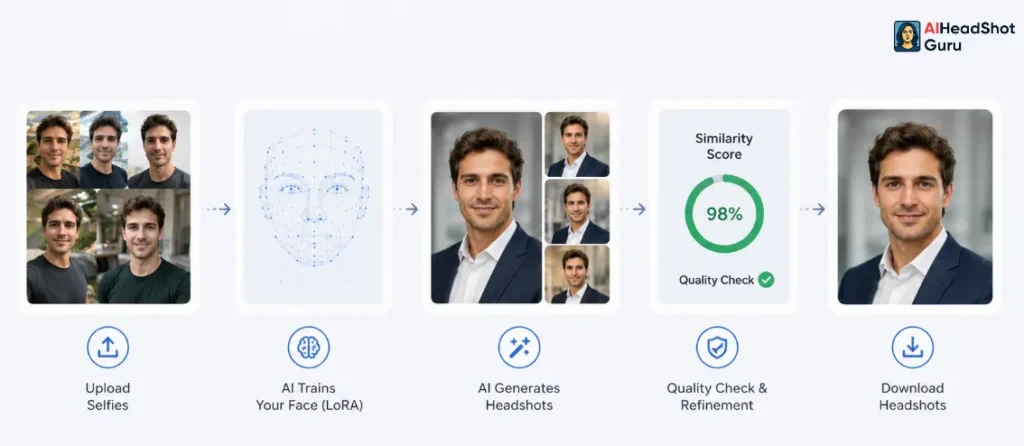
- You upload selfies — typically 6 to 12 photos, though some tools work with as few as one to four frontal shots. Good, even lighting matters more than anything here.
- The AI trains a mini-model on your face — instead of relearning everything from millions of images, LoRA injects just your likeness (face shape, skin tone, expressions) into the existing model in about half an hour or less.
- It generates new images — using preset style prompts for attire, background, and lighting, the model produces fresh portraits of you.
- You get your headshots — delivered through a dashboard or email, ready to download.
Many tools also run a quality check called facial similarity scoring. If a generated image drifts too far from your real face, the system flags it and regenerates, then applies post-processing to clean up features so you don't get that “uncanny” stare.
Selfie In, Pro Photo Out: What You Need to Upload
The single biggest factor in your results is the photos you feed in. Garbage in, garbage out applies hard here.
Skimp on photo quality and you'll get the dreaded plastic skin or a face that's almost you but not quite. Nail the inputs and the realism jumps dramatically.
Picking Styles, Backgrounds, and Output Types
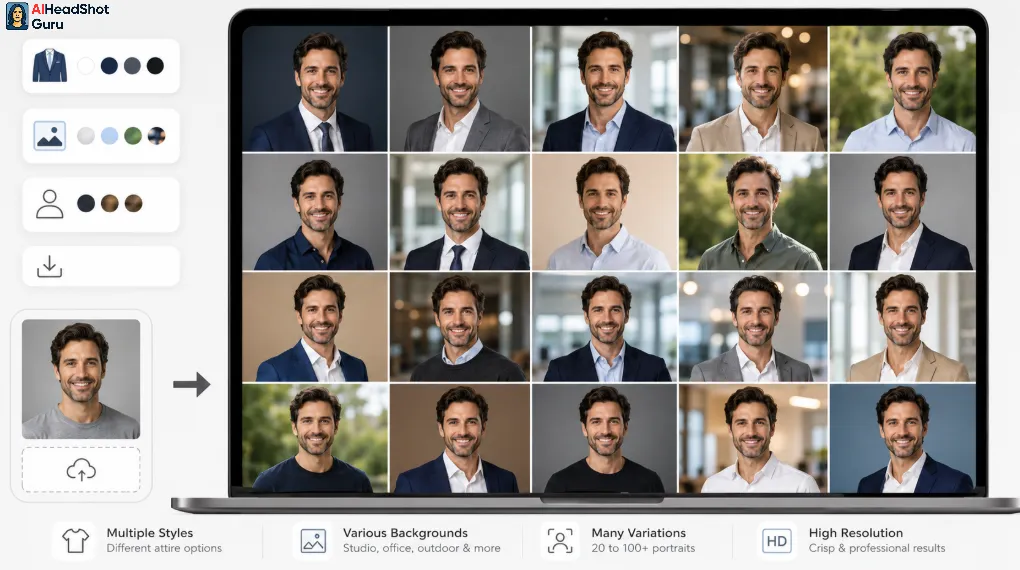
Once your photos are in, you're choosing the look. Most platforms ask for a few quick details, then let you pick from preset templates.
You typically receive a gallery of 20 to 100+ finished portraits and download the ones you like. Higher-tier plans unlock more outfits, more backgrounds, and sharper resolution.
Turnaround Time: Minutes, Not Days
Speed is a huge part of why people switch. Where a studio means scheduling, traveling, and waiting days for edited proofs, an AI portrait generator delivers while you grab coffee.
There's no rebooking, no “let's try again next week.” If a batch underwhelms, you regenerate the same day.
What It Costs vs. a Studio Session
This is the part that closes the deal for most first-timers. The math isn't close.
| Factor | AI Headshot Generator | Traditional Studio |
|---|---|---|
| Price | $12–$80 one-time | $150–$500+ per session |
| Premium tier | Up to ~$99 for 100+ photos | $800–$2,000+ for executive shoots |
| Images delivered | 20–100+ variations | 3–10 retouched shots |
| Cost per usable photo | Roughly $0.34–$0.59 | Roughly $30–$100 |
| Extras (hair, makeup, retouching) | Included | $25–$300 added |
| Team of 10 | $200–$500 total | $1,500–$5,000+ total |
For a single person, AI headshots run about $20–$50 for a full set, while a studio session with a few retouched images runs $150–$500. Scale that to a whole team and the gap turns into thousands of dollars.
Real-World Use Cases
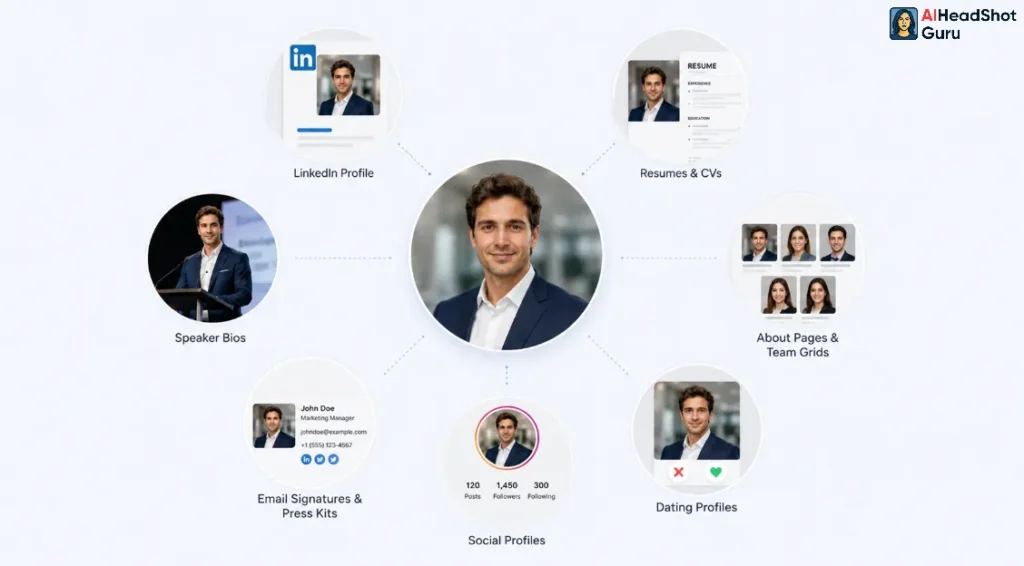
A professional headshot without a photographer covers nearly every spot where your face represents you online or on paper. The use cases stack up fast:
For job seekers specifically, an AI headshot gives you a recruiter-ready image without paying a photographer, which matters most in markets where a resume photo is expected.
Why It's Beating Studio Photography
The shift comes down to four things people care about: money, time, control, and volume. AI wins on all four for everyday professional use. You skip scheduling and travel, pay a fraction of studio rates, get dozens of looks instead of a handful, and can redo it any time your role or brand changes.
Studios still hold an edge for high-stakes branding, large-format prints, and the human eye of a great photographer who directs your pose and personality. But for a LinkedIn refresh or a team page, the convenience and price of an AI headshot generator are hard to argue with, and that's exactly why adoption keeps climbing.
Common Concerns Before You Try One
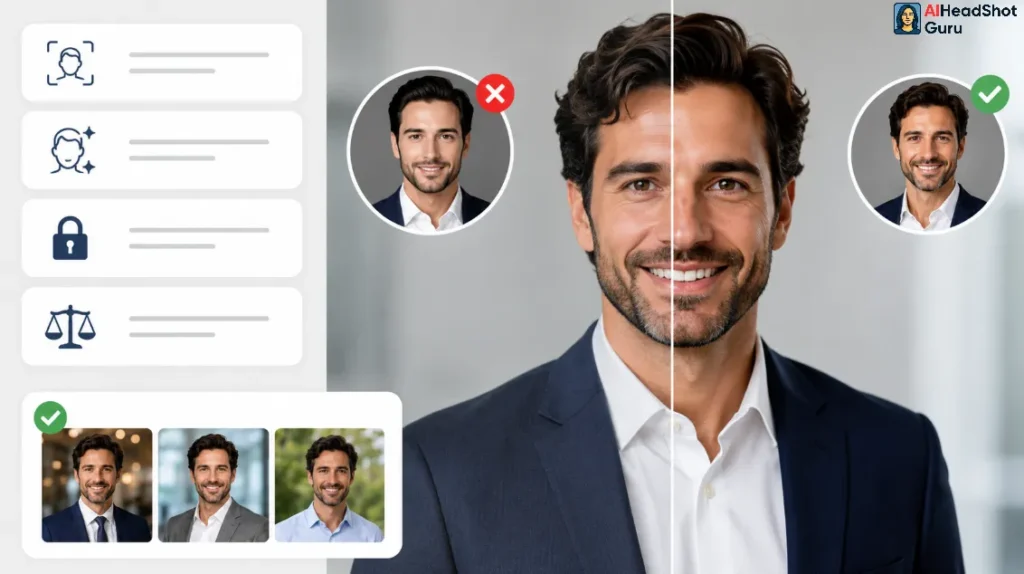
A few honest caveats keep your expectations grounded:
Frequently Asked Questions
What is an AI headshot generator in simple terms?
It's an app that takes your selfies and uses AI to create brand-new professional portraits of you in business attire with studio lighting, no photographer required.
How does an AI headshot generator work?
It trains a small AI model on your uploaded photos using LoRA, then uses a diffusion model to generate fresh, realistic portraits matching your face in professional settings.
How many photos do I need to upload?
Most quality tools ask for 6–12 clear selfies, though some lightweight generators work with just 1–4 frontal shots. Even lighting and varied angles improve results.
How long do AI headshots take?
Anywhere from about 10 minutes to 4 hours, with most batch tools landing around 30–45 minutes.
Are AI headshots good enough for LinkedIn and resumes?
Yes. They're widely used and accepted for LinkedIn, resumes, speaker bios, and company pages, as long as the result still looks genuinely like you.
Do free AI headshot generators actually work?
Most free tools produce watermarked, pixelated, or cartoonish results that aren't professional-grade. Paid tools deliver the realism needed for serious use.
Is it obvious that a headshot was made by AI?
Good tools using strong input photos produce results that read as real photography. Weak inputs or low-quality tools cause the telltale plastic skin or uncanny look.
The Bottom Line
An AI headshot generator turns a handful of selfies into a gallery of professional portraits by training a quick model on your face and painting new images with a diffusion engine. For a fraction of studio prices, in minutes instead of days, you get dozens of usable shots for LinkedIn, resumes, and bios.
As long as you feed it good photos and pick a quality tool, it's the fastest, cheapest path to a professional headshot in 2026, and that's precisely why it keeps pulling people away from the photographer's chair.