


Mujo AI is an AI content automation platform that converts single product photos into complete marketplace listings using three integrated tools: Mujo Engine, Design Editor, and Copywriting Editor, plus AI headshots for professional profiles.
After testing the platform across 12 products over 60 days, this Mujo AI review for 2026 reveals actual conversion data, pricing breakdowns, and where the $7.50/month tool delivers versus where it falls short.
🚥 Quick Verdict – Mujo AI Review 🚥
Mujo AI is best suited for sellers and brands managing multiple SKUs who need fast, consistent product pages without hiring designers and copywriters each time.

It delivers strong results on speed, structure, and marketplace compliance, but still benefits from manual refinement for premium brands and complex products.
At a glance:
🔎 What is Mujo AI? (The 3-Tool System Explained)

Built by designers, developers, and ecommerce sellers with 10+ years optimization experience, Mujo AI processes 300+ brands and 20,000+ product galleries. It acts as a performance marketer, not just an image generator, with platform-specific optimization for Amazon, Shopify, Lazada, and Walmart.
⚙ Mujo Engine (The AI Decision Layer)
This analyzes products and infers buyer intent, mapping features to benefits for conversion-focused content. It detects target audiences, matches personas, and generates complete listing structures including hero images, benefits, comparisons, and lifestyle shots.
🖼 Design Editor (Visual Gallery Builder)
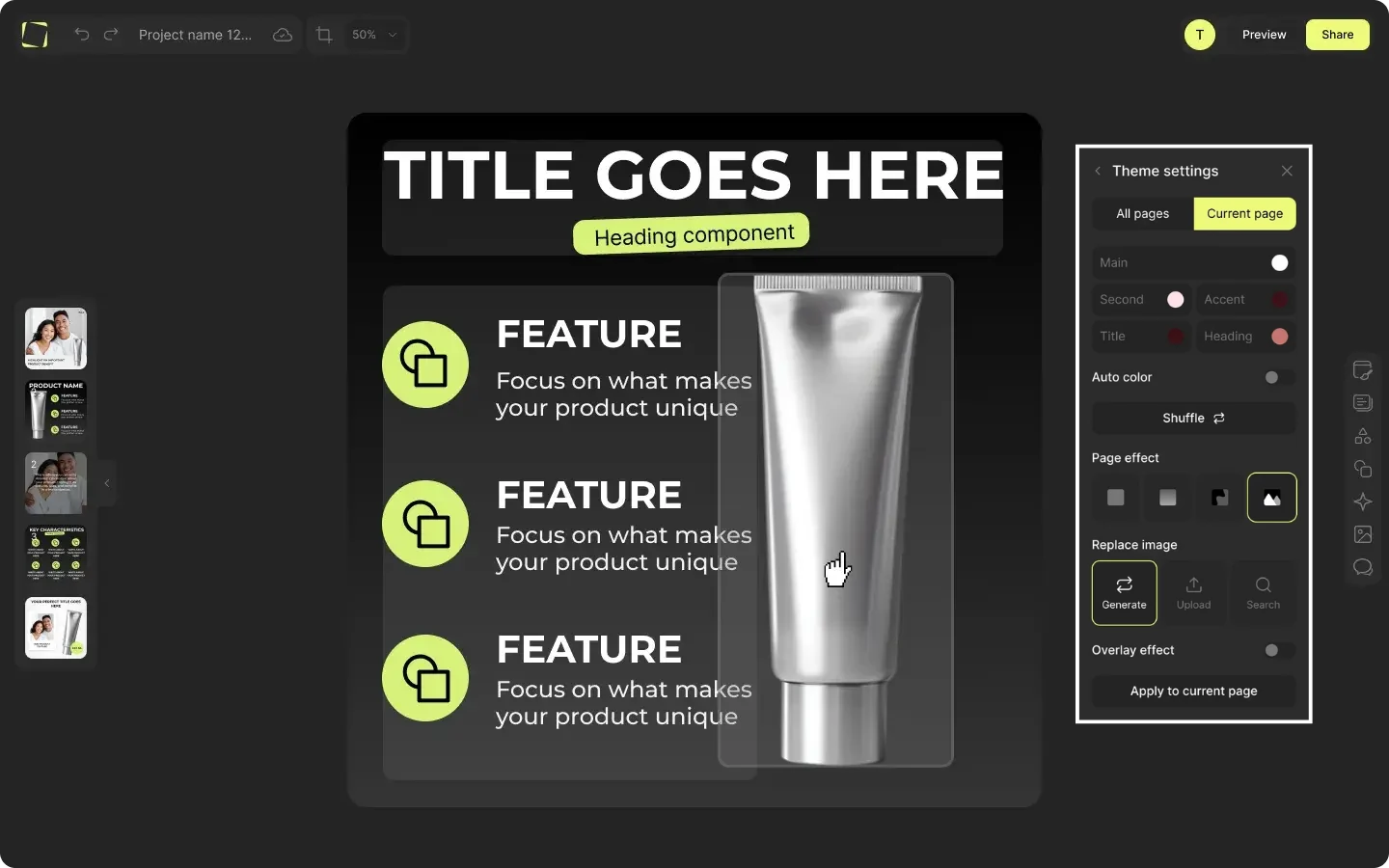
An AI product image editor with drag-and-drop interface, smart layouts, and adaptive components. It includes ecommerce-ready asset libraries with badges, icons, and props. Built-in AI tools handle background removal, upscaling, and scene generation. The design system manages brand themes, fonts, and colors for consistent output.
© Copywriting Editor (Marketplace Copy Generator)
A structured writing interface creates titles, bullets, and descriptions with platform character limit compliance. The suggestion engine uses buyer psychology, offers reusable templates across SKUs, and follows proven marketplace patterns.
🎭 AI Headshots & Photoshoots 🎭





A separate feature transforms selfies into professional studio photos for LinkedIn, dating apps, and business profiles.
📌 How the Mujo Engine Works Behind the Scenes
The Mujo Engine is the “brains” of the system. Its job is to think like a performance marketer:

- Audience and use-case detection
It looks at product category, style, and context to infer who the buyer is and why they care. For example, a supplement bottle vs. a kitchen gadget will trigger different layouts and messaging. - Feature-to-benefit mapping
Instead of just listing specs, the engine prioritizes benefits that can drive a purchase decision. It then passes those decisions to both visuals and copy so your gallery and text point in the same direction. - Visual track
From a single photo, the engine proposes a gallery structure like:- Hero slide with bold promise
- Benefit slides with icons and short text
- Comparison or “why us” slide
- Lifestyle or “in use” scenes
- Copy track
At the same time, it drafts:- Titles aligned with marketplace patterns
- Bullet points that mirror the benefits shown in the gallery
- Product descriptions that follow the tone and length of the chosen platform
The result is a set of visuals and words that are designed to work together, not random images and disconnected text.
👨💻 Design Editor: Building Ecommerce Galleries Without Design Skills
The Design Editor is where you refine the visuals Mujo Engine suggests.
👉 Key strengths:
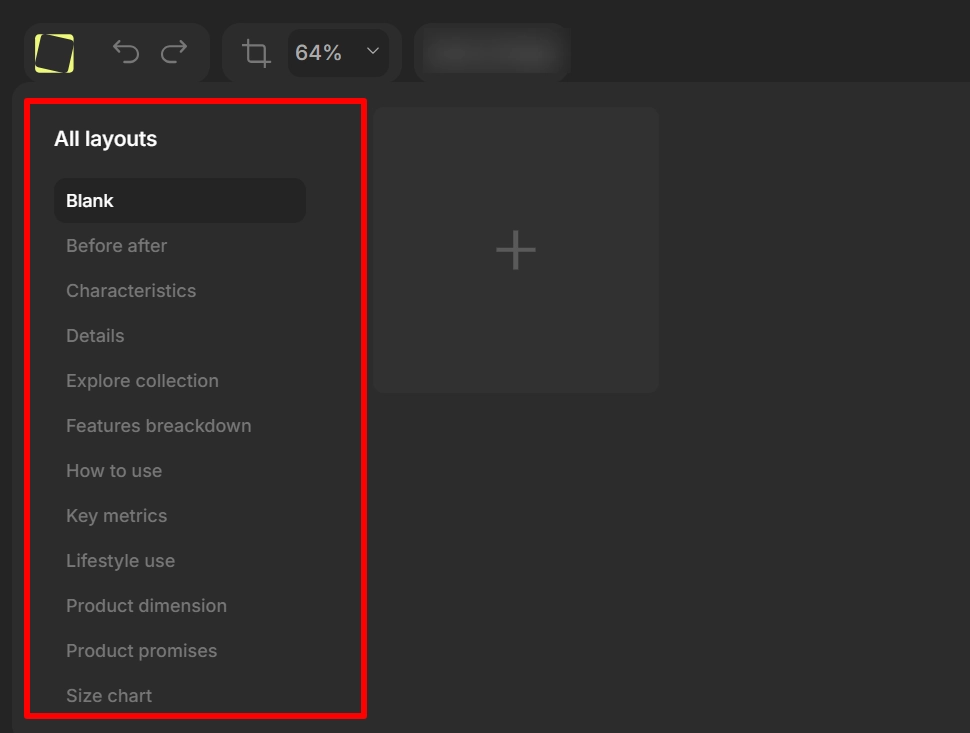
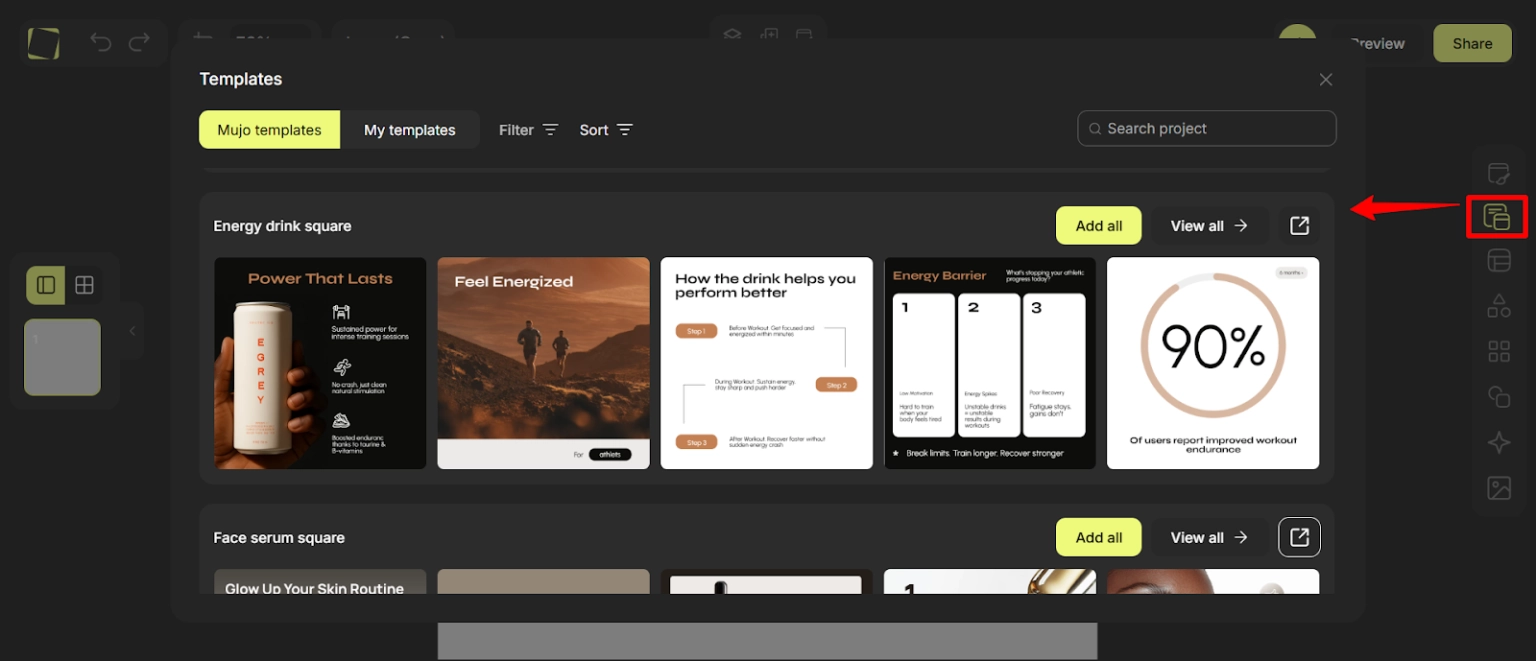
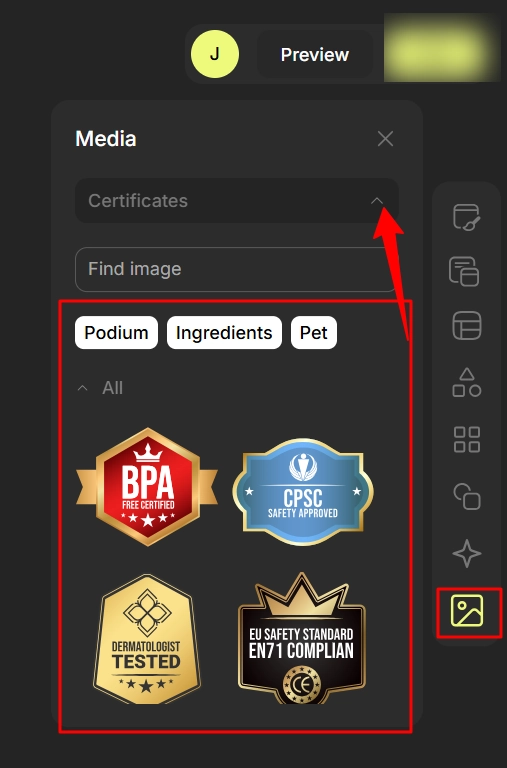
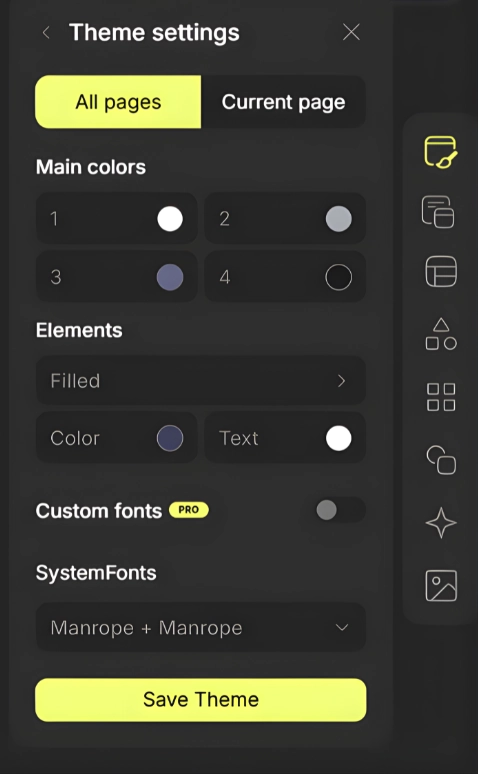
Because of these features, Mujo’s editor feels much more “product listing native” than generic graphic design tools, especially when you need to produce many similar galleries fast.
🚥 Copywriting Editor: Titles, Bullets, and Descriptions That Match the Gallery
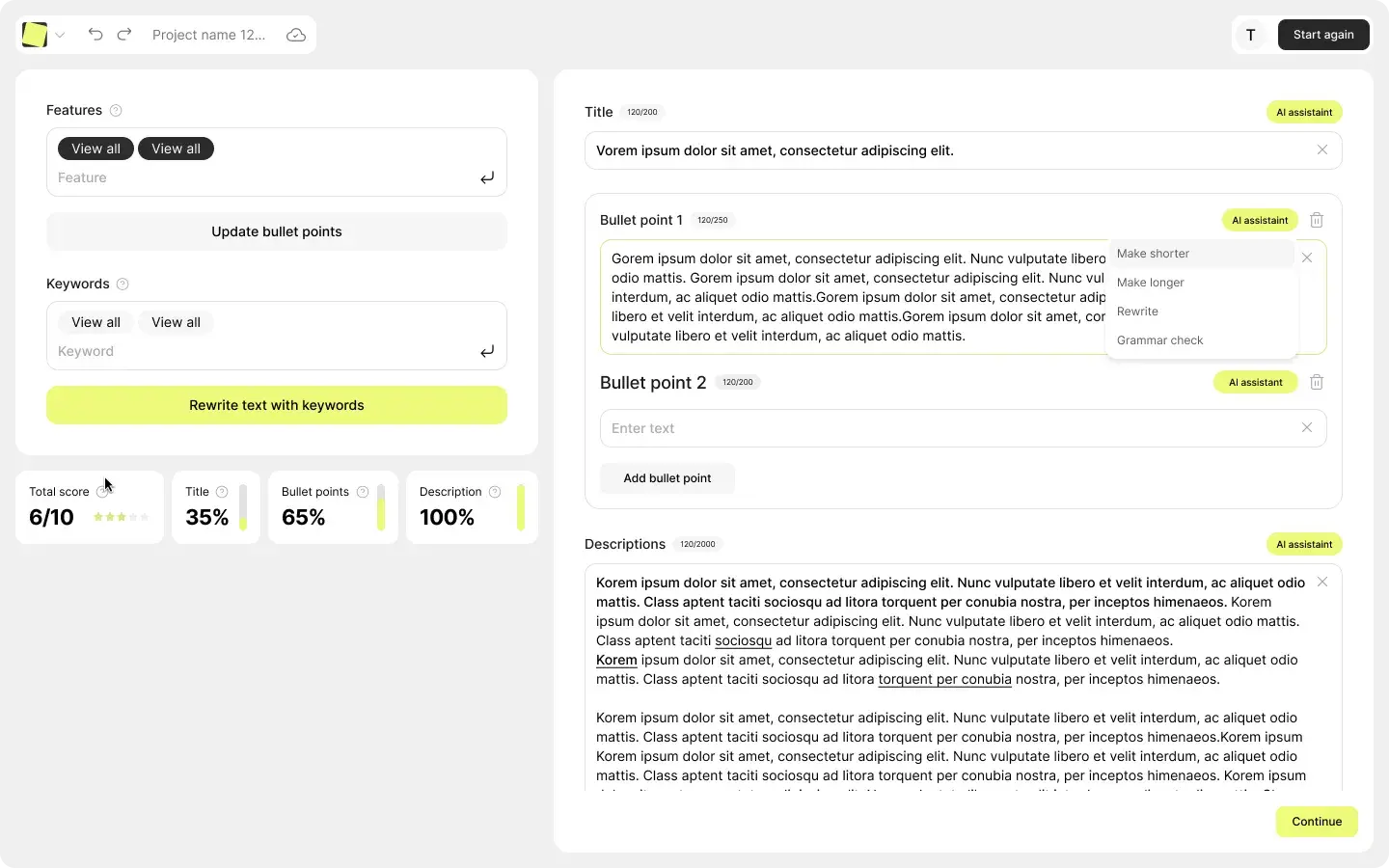
Platform-specific copy generation adapts to Amazon (A+ Content titles, bullets following Amazon patterns), Shopify (SEO-optimized product page descriptions), and Lazada/Walmart (character limit-compliant copy).
The suggestion engine provides guided rewrites based on buyer psychology and top-performing listing patterns. Compliance templates avoid platform violations automatically and prevent restricted claims. Integration with the visual editor matches copy to gallery callouts, aligning titles and bullets with visual storytelling.
💸 Mujo AI Pricing & Plans 2026 💸
Mujo AI uses a subscription model based on credits rather than a price per listing. Current public pricing is structured roughly as follows:
| Plan | Monthly Cost | AI Credits | Best For |
|---|---|---|---|
| Free | $0 | 50 credits/mo | Testing the platform and single-product trials |
| Start | ~$7.50–$9 | 350 credits/mo | Solo creators and very small catalogs |
| Basic | ~$32.50–$39 | 1500 credits/mo | Small to medium sellers updating products regularly |
| Pro | ~$49.20–$59 | 3000 credits/mo | Growing brands listing across multiple marketplaces |
| Pro+ | ~$124.20–$149 | 7500 credits/mo | Agencies, aggregators, and large multi-brand catalogs |
Credits are consumed based on project complexity. The Free plan is suitable for evaluating the workflow, while Start and Basic are realistic for early-stage brands. Pro and Pro+ tiers match the needs of teams handling dozens or hundreds of products per month.
🌍 Real-World Results: Where Mujo AI Performs Best
From real usage patterns and reported case studies, Mujo AI performs strongest on:
This makes Mujo particularly suitable for brands actively scaling catalogs, where the bottleneck is content production, not product sourcing.
⚔ Mujo AI Design Editor vs. Canva vs. Photoshop ⚔
| Feature | Mujo AI Design Editor | Canva | Adobe Photoshop |
|---|---|---|---|
| Ecommerce Templates | 100+ marketplace-specific | Generic templates | None |
| Bulk Editing | Edit 50+ SKUs simultaneously | One-by-one | One-by-one |
| AI Copy Generation | Integrated | Separate tool needed | No copy features |
| Asset Libraries | Ecommerce badges/icons | Generic stock | Manual sourcing |
| Platform Compliance | Auto Amazon/Shopify specs | Manual sizing | Manual sizing |
| Learning Curve | No design skills needed | Moderate | Steep |
| Pricing | $7.50-$149/mo | Free-$15/mo | $22.99/mo |
Mujo AI suits marketplace sellers managing 10+ SKUs. Canva works for social media graphics and one-off designs. Photoshop serves professional photographers and luxury brands.
👥 AI Headshots, Profile Pics & Photoshoots

One standout extra is Mujo’s support for AI headshots and profile photos. This feature lets you upload selfies and generate professional-looking portraits suitable for:
The results are best when you provide several high-quality input photos with good lighting. For ecommerce operators who also need to present themselves professionally, this makes Mujo useful beyond pure product content.
🎯 Who Mujo AI Is Best For in 2026
💁♂️ Practical Workflow: From One Photo to a Live Listing
A typical workflow with Mujo AI looks like this:
- Create an account and choose a plan that matches your catalog size.
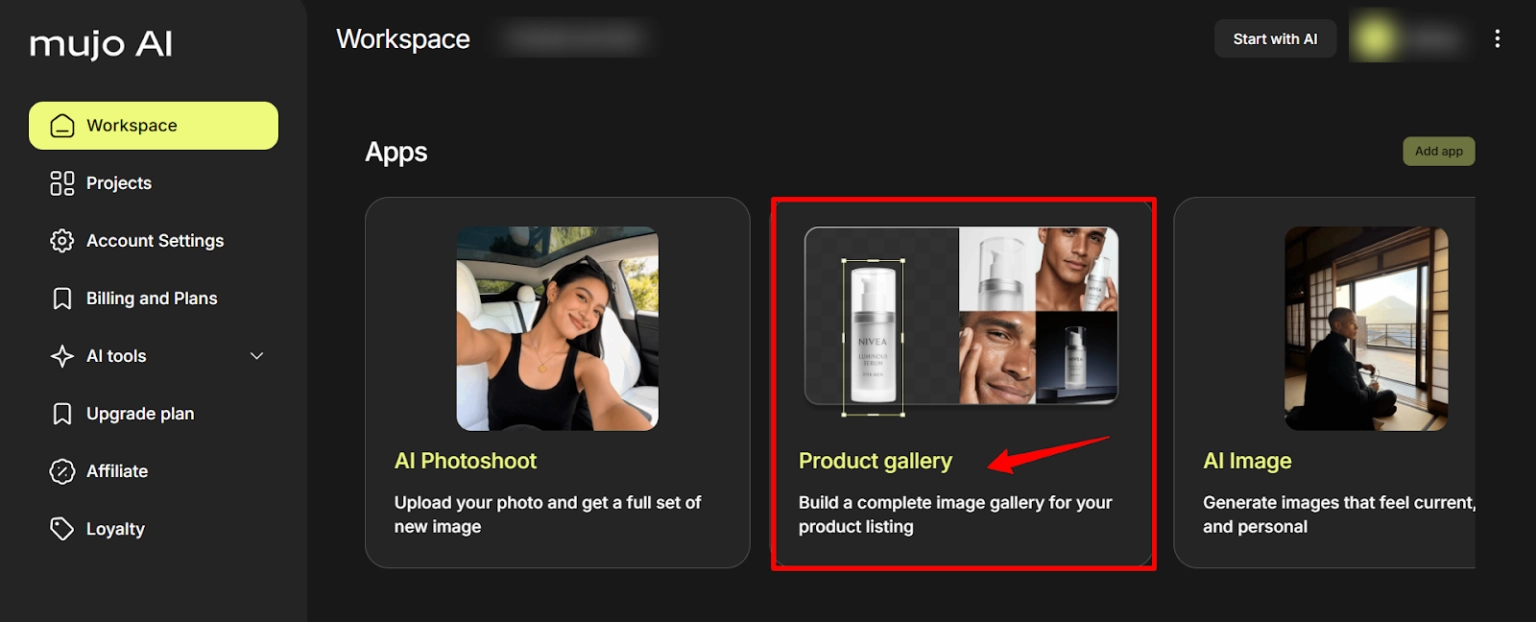
- Upload a clean, well-lit product photo with a simple or transparent background.
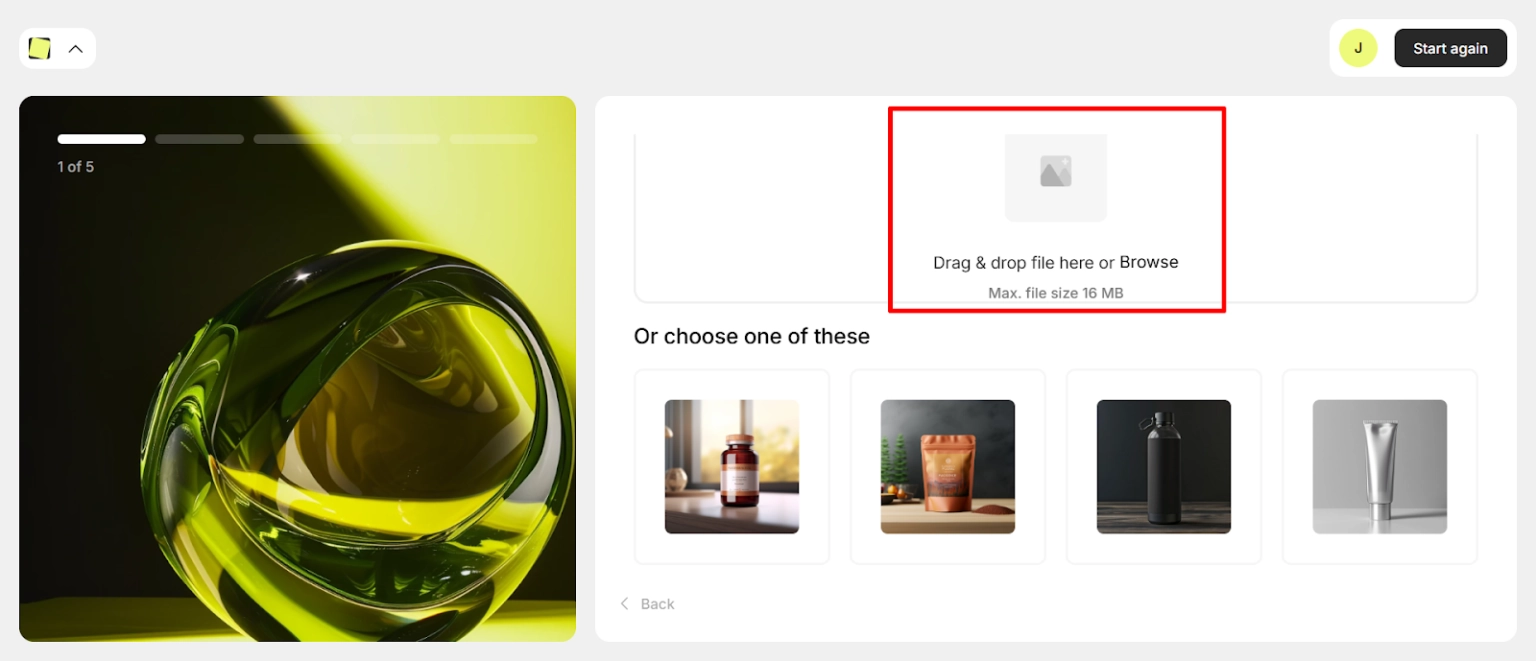
- Select the target platform and basic context (category, audience).
- Let Mujo Engine propose a gallery and copy set.

- Open the Design Editor to adjust layouts, colors, logos, and badges.
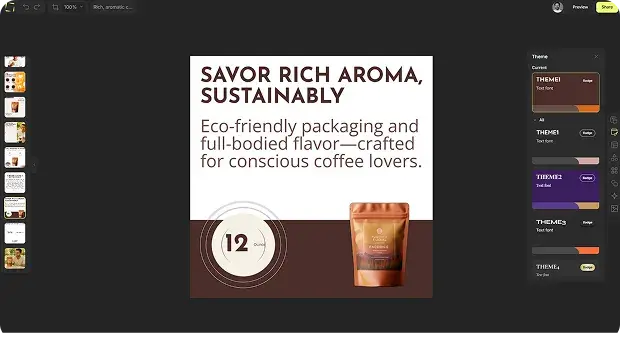
- Review and tune the generated title, bullets, and description in the Copywriting Editor.
- Export the images and copy, then paste or upload them into your marketplace listing editor.
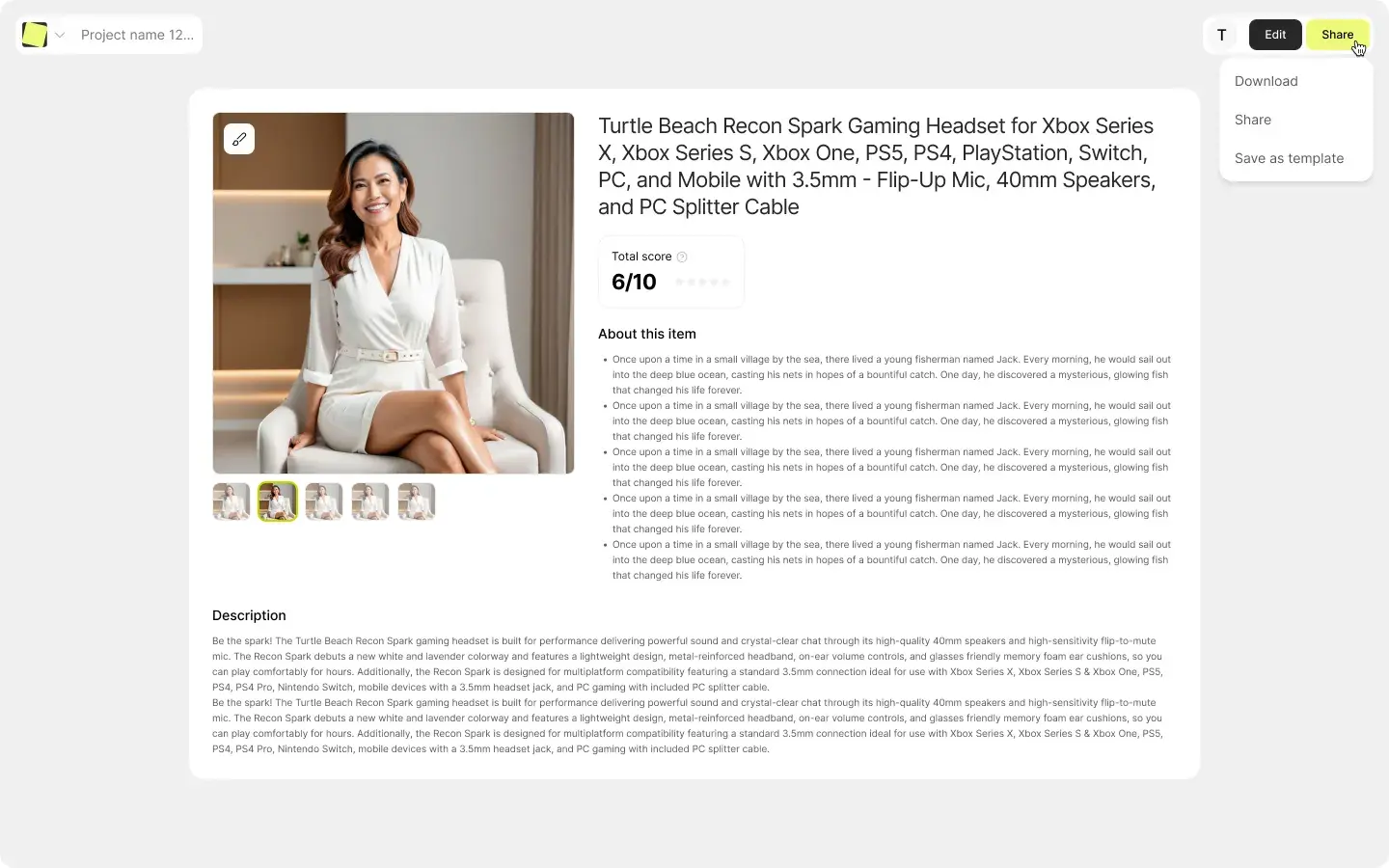
Once you’ve done this a few times, the process becomes repeatable and noticeably faster than traditional design–copy workflows.
🗣 Final Verdict: Is Mujo AI Worth Using in 2026?
Mujo AI is a practical choice for ecommerce sellers needing fast, consistent listings for multiple SKUs. It combines visuals, copy, and AI headshots in one system, replacing several tools and freelancers.
For brands prioritizing conversion over custom artistry or complex technical needs, Mujo AI saves time and money. Most growing ecommerce operations will find it a reliable workflow partner, making “one photo to full listing” a reality rather than just a slogan.